Nano Banana vs Nano Banana Pro — Which One Fits Your Creative Flow?
Discover what’s new, what’s different, and how to choose the right AI image tool for your projects.
It’s late at night, you’re working on a client project or trying to finish a new ebook cover, and you need images that look real, crisp, and polished. You open your AI tool and… nothing feels quite right. Colors are off, text is fuzzy, details are missing. Frustrating, isn’t it?
Now, imagine having a tool that almost feels like it knows exactly what you want. That’s where Nano Banana and Nano Banana Pro come in. But which one actually fits your workflow? Let’s break it down.
The Struggle Creators Face
If you’ve ever used AI image generators, you know the pain:
Images that look great until you zoom in.
Text that doesn’t match your vision.
Rendering times that steal your momentum.
The key is finding a tool that works smoothly with your process. That’s where Nano Banana vs Nano Banana Pro comes in.
Nano Banana vs Nano Banana Pro
Nano Bananais the tool you open when you want to create something fast and simple. It’s great for those moments when you need a quick visual for social media, a sketch to bring an idea to life, or a small spark to keep your creativity moving. Think of it as your everyday helper, light, friendly, and always ready when inspiration hits.
Nano Banana Pro feels more like stepping into your creative studio. It’s there for the projects that deserve more time, more clarity, and more polish. When you’re working on a client deliverable, a digital product, a workbook, or anything that needs to look clean and professional, Pro gives you the level of control to make that happen. It helps you create visuals that feel intentional and aligned with your brand.
What’s New in Nano Banana Pro
Source: googleapis.com
With Nano Banana Pro, you get upgrades that help your creativity flow smoother, look sharper, and feel more polished even when your ideas are big and layered. Here’s what you unlock:
You can now create images in high resolution, including 2K and 4K outputs. That makes them look crisp and professional, whether you use them online or for print.
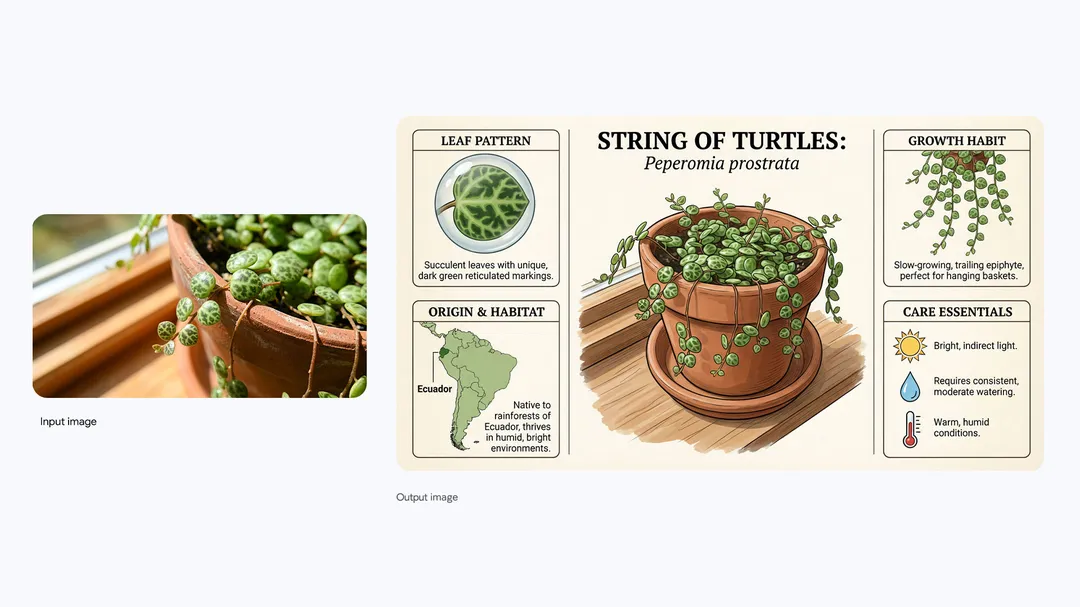
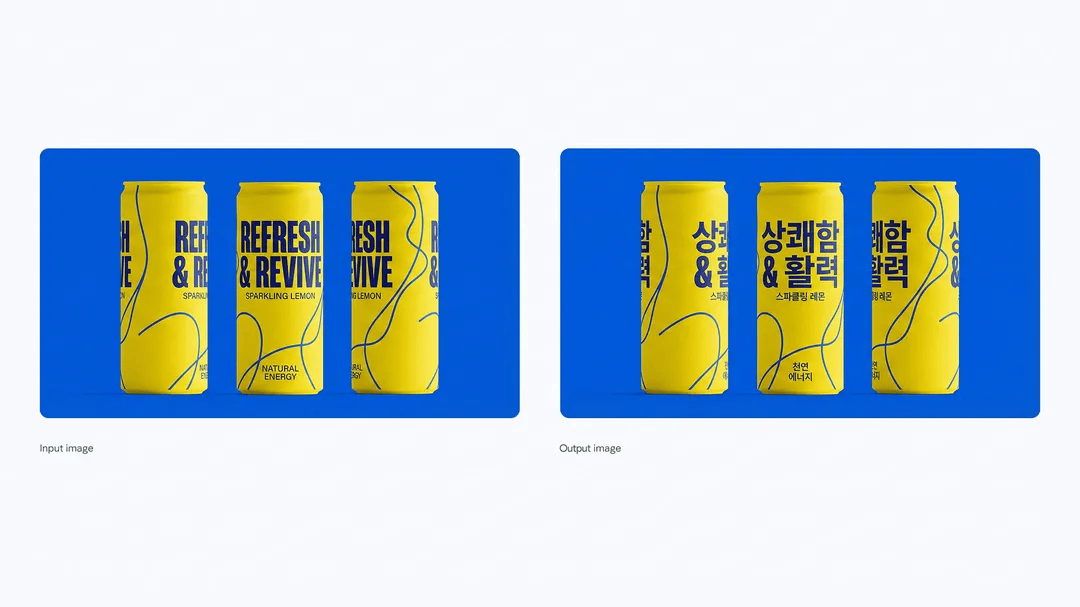
When you need text inside images, such as a headline, a label, or multilingual copy, the rendering is much cleaner and more reliable. This is great for posters, infographics, product visuals, or anything where words and visuals must come together.
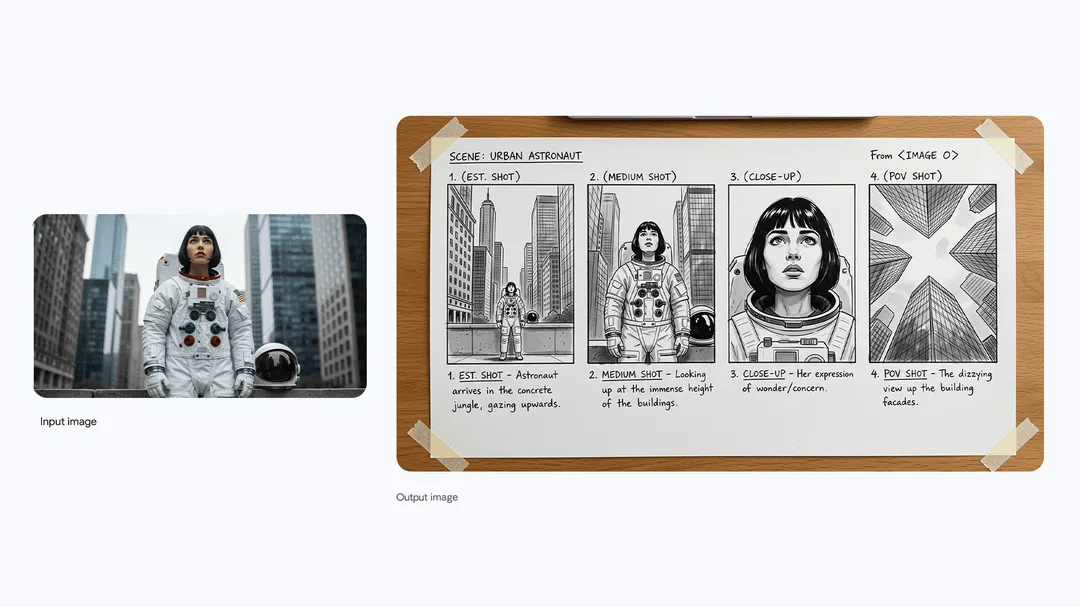
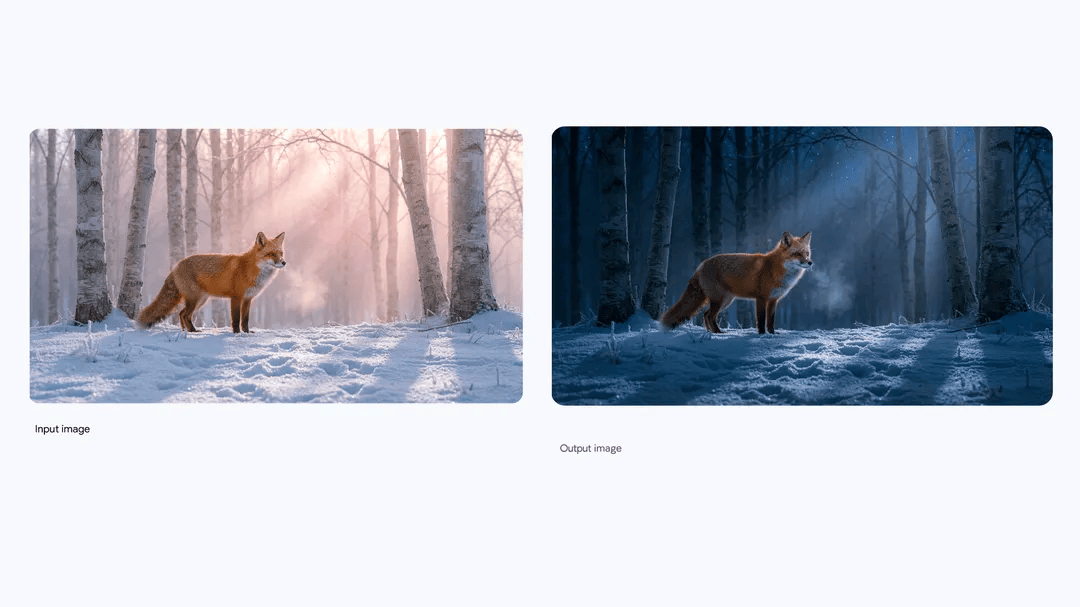
You have more control over how things look. You can guide the lighting, colors, camera angles, focus, and styling. This helps you shape the image’s mood, whether you want something dreamy, dramatic, or minimal.
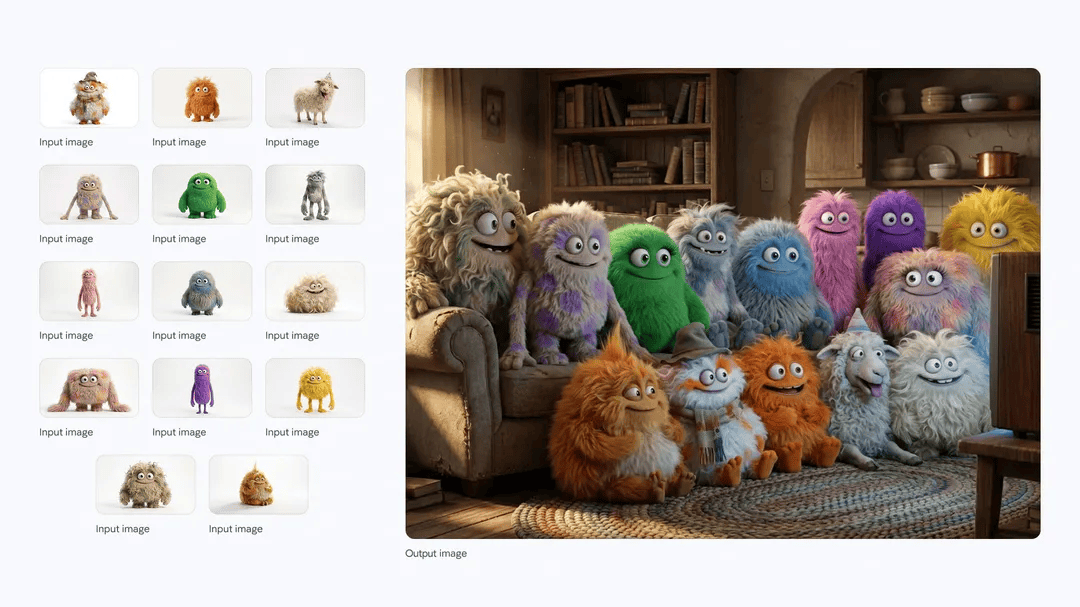
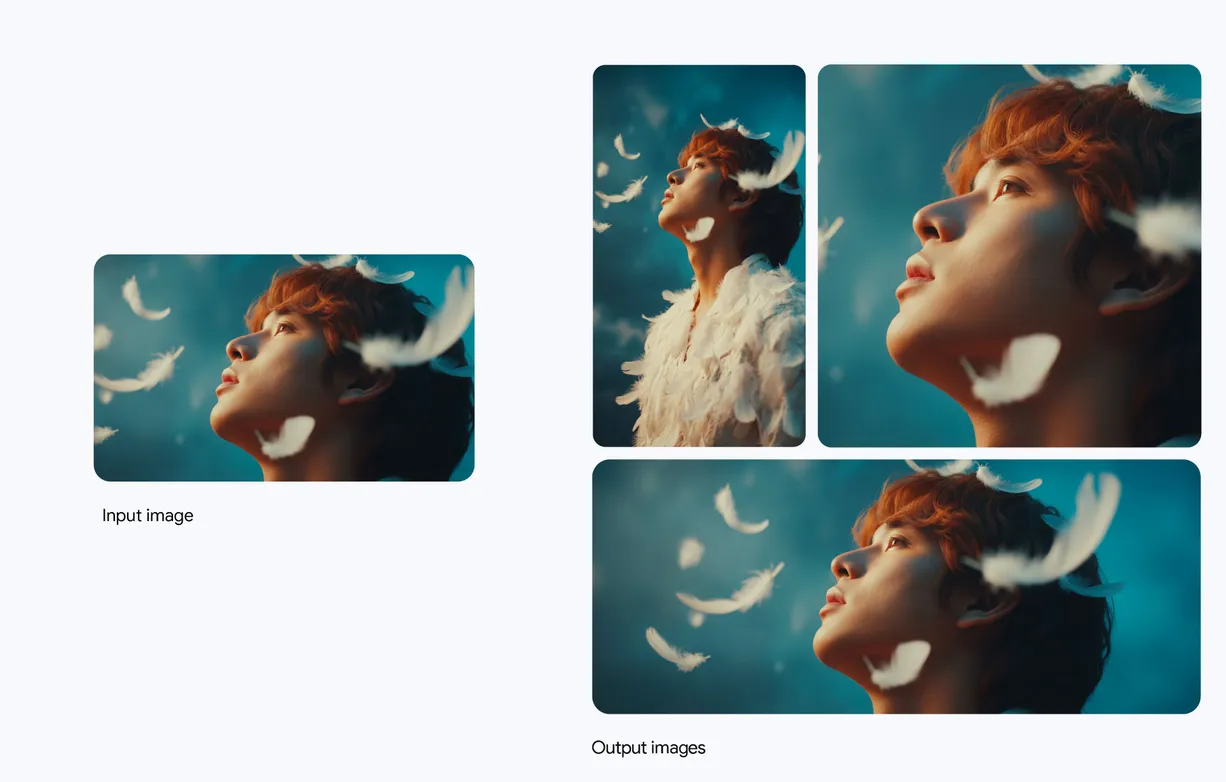
If you are working with many elements, such as people, objects, or backgrounds, the tool is smarter about keeping things consistent. Faces, colors, styles, and layouts stay aligned across edits or across a series of images.
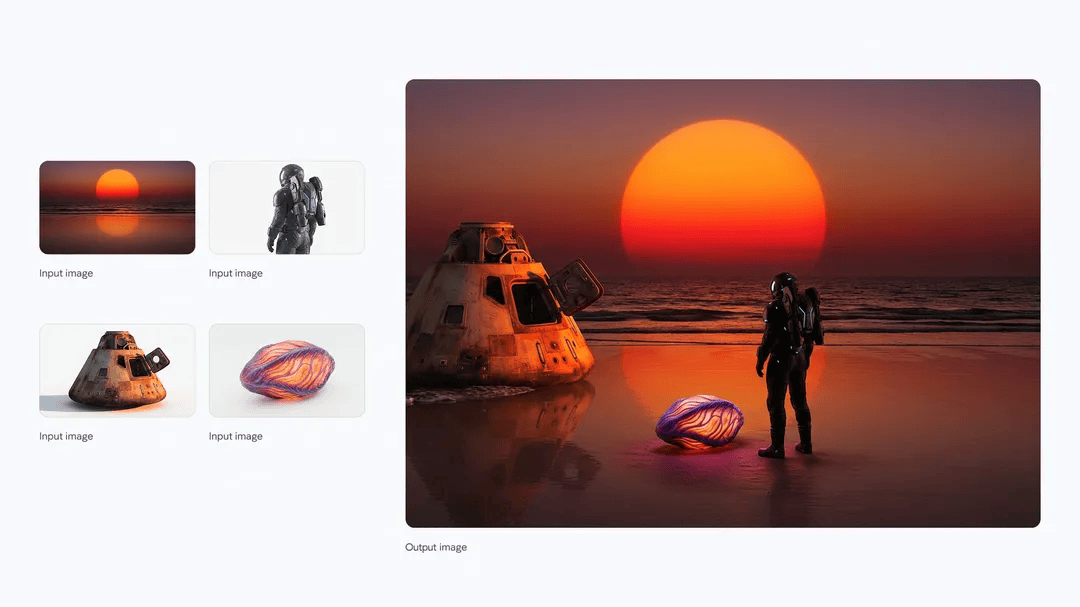
You can combine multiple images or references at once. This is helpful for complex scenes or creative mash-ups. It works well when your idea is layered, such as mood boards, scene compositions, or multi-element visuals.
The workflow now feels smooth. Once you generate visuals, it is easier to use them across your tools and campaigns. You can place images directly into Google Ads, Adobe apps, Canva, and other creative platforms without fixing sizes or cleaning up messy edges. This saves time and supports creators who need fast turnarounds.
Choosing the Right Tool
When it’s time to pick between Nano Banana and Nano Banana Pro, the real question is not “Which one is stronger?” but “What does my project need right now?” This keeps things practical and helps you match the tool to the job instead of overthinking the decision.
Here’s a cleaner way to look at it:
Start with the goal. Are you creating something quick for content, or something polished for a client or a product?
Look at the level of detail your project requires. Some tasks only need a fast visual. Others need clarity, precision, or text that reads cleanly.
Pay attention to your workflow. If the project will move into Canva, Adobe, Google Ads, or a paid campaign, you’ll want images that hold up in different formats and sizes.
Think about how often you’ll be editing or iterating. Some creative tasks involve many small changes; others need one strong, finished visual.
When you approach it this way, the choice becomes clearer and more aligned with your actual steps as a creator. You’re not choosing a “better tool,” you’re choosing the one that removes friction and helps you finish the work with confidence.
When to Use Nano Banana vs. Nano Banana Pro
Not sure which one to pick for your next project? Here’s a guide to help you decide which Nano Banana fits your workflow.
Creative Scenario
Best Fit
Why It Works
Brainstorming Ideas & Quick Sketches
Nano Banana
Get ideas down fast without slowing your flow
Social Media Graphics & Stories
Nano Banana
Create eye-catching visuals quickly and test engagement
Concept Art & Character Development
Nano Banana Pro
Handle multi-step prompts, detailed textures, and consistent traits
Website Mockups & Digital Presentations
Nano Banana Pro
Clean visuals and accurate text ready for professional sharing
Product Packaging & Branding
Nano Banana Pro
High-resolution images with control for consistent results
Manage layered prompts and complex compositions smoothly
Bringing Your Ideas to Life
When you think about Nano Banana vs. Nano Banana Pro, it’s really about what you need in the moment. Some days you want to get your ideas out fast, see them take shape, and keep moving. Other days, you want to slow down, focus on every detail, and make something feel complete.
Use what works for you. Let your ideas lead and let the tools support you. Start simple, experiment, refine, and watch your vision take shape. It’s not about making everything perfect. It’s about creating something that feels yours, something you can be proud of.
Nano Banana vs. Nano Banana Pro gives you that choice. One lets your creativity run, the other helps it land. Together, they help your ideas grow and find their voice.
Want to take your AI skills to the next level?
Dive into hands-on training and start creating with confidence. Explore practical lessons and tools that help you work smarter, finish faster, and bring your ideas to life.Start your training here and see what you can build today.